Description
Illustrated Bartender Day Festival Flyer PSD Template
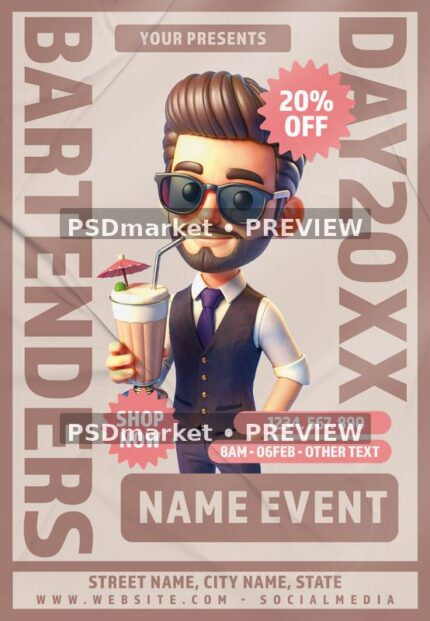
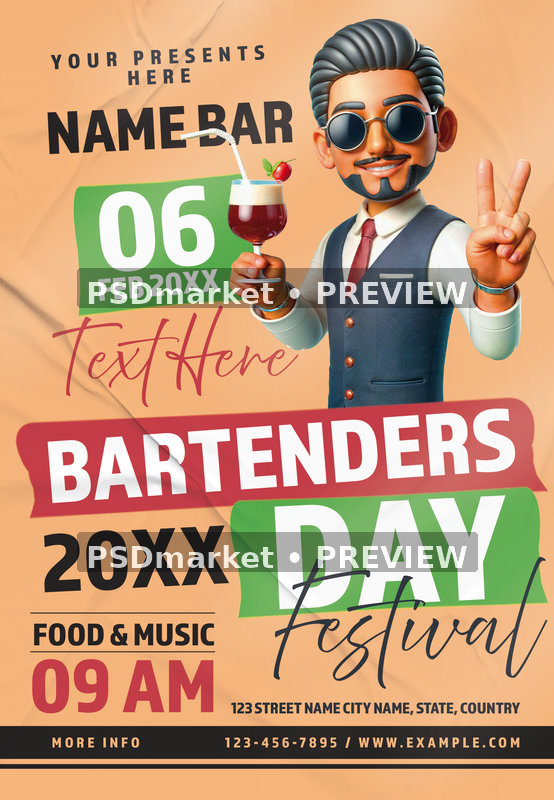
A smiling illustrated bartender in a waistcoat and tie holds a red cocktail and gives a two-finger greeting against a peach background. Sunglasses and a curled mustache add a playful characterful touch. Angled green and red labels organize the February date, BARTENDERS DAY headline, year, festival script, and lower details.
A layout for your announcement
Use the supplied composition as a starting point for a bartender celebration, bar event, or hospitality-themed promotion. Its portrait arrangement gives the main theme clear emphasis while reserving separate areas for supporting information. Adapt the wording to your own audience and keep essential details concise so the decorative artwork and event information remain balanced.
The filename includes 2025, but the artwork uses 20XX placeholders and a sample 06 FEB date. Replace the bar name, year, schedule, extra text, address, phone number, and website; confirm any food or music offering. Any sample names, claims, prices, addresses, websites, and contact details shown in the preview are demonstration content, not information about an active event.
Included files and verified specifications
The ZIP contains one layered PSD and one readme text file. The native document measures 1350 × 1950 pixels at 300 ppi in 8-bit CMYK color. That corresponds to a full canvas of 4.5 × 6.5 inches. These figures come from the actual PSD, whose dimensions differ from the generic size wording in the readme.
- Format: layered Adobe Photoshop PSD in a ZIP archive
- Canvas: 1350 × 1950 pixels, portrait orientation
- Resolution: 300 ppi; color mode: CMYK, 8 bits per channel
- Structure: 47 layer records, including 13 type-layer records
- Included guidance: readme with general editing instructions and font references
Editing the supplied artwork
In the inspected file, BARTENDERS, DAY, the bar name, date, and event details are type layers; the bartender character and cocktail are image-based artwork. Inspection also identified 1 smart-object record. Layer counts include group and structural records. The presence of layers does not mean every decoration can be replaced by typing, or that all artwork is vector-based. Review the actual groups before making changes.
Open a working copy in Adobe Photoshop, inspect the main text and detail groups, and update the information you need. Check alignment and line breaks after replacing fonts or changing headline lengths. Use the available color and adjustment groups carefully, then save a separate edited PSD before exporting your final image. The readme includes generic examples that may not describe every layer in this particular composition.
Fonts and output preparation
The readme references Almaq and Above the Beyond. Font files are not bundled. Obtain any required fonts separately and review their current licensing terms for your intended use. A font reference is not a guarantee of free commercial licensing or perpetual availability. Photoshop is the editing application verified for this source format; other software compatibility has not been tested.
Before printing, ask your printer to confirm trim size, bleed, safe margins, color profile, and export settings. The full canvas measurements alone do not guarantee a specific finished print size or bleed setup. For online use, export a suitable image and review readability at the intended display size; a portrait flyer may need adaptation for another aspect ratio.
Digital delivery
This product is a downloadable design template; no printed item is supplied. The listing image is a watermarked preview of the native composition. Read the file requirements before editing and review the applicable file licenses for permitted use. Check your final wording, visual changes, and all destinations before releasing the finished promotion.