
Description
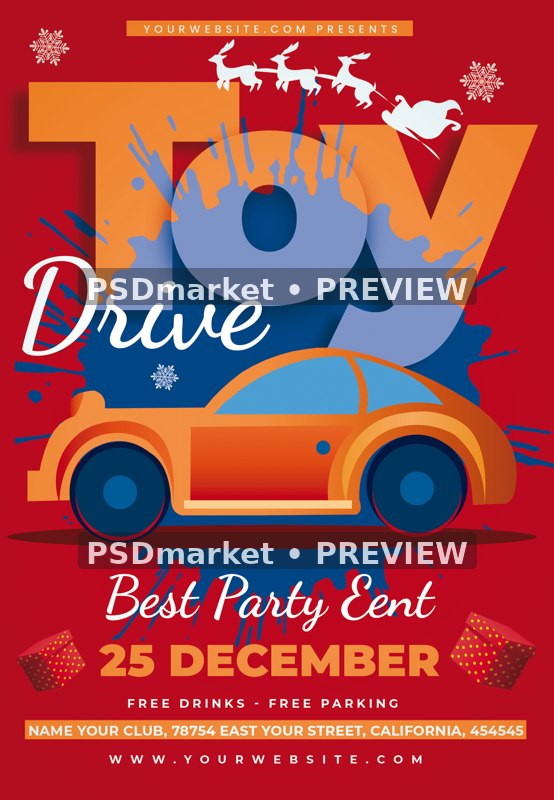
Orange Toy Car Christmas Toy Drive Flyer
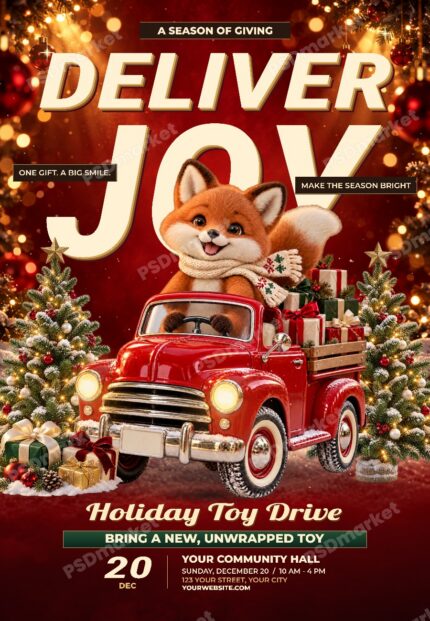
An orange toy car sits below oversized orange-and-blue Toy Drive lettering on a red background. Santa’s sleigh and reindeer, white snowflakes and small gift accents make the design a Christmas toy-drive layout.
What is included
- Flyer PSD: 1350 × 1950 pixels, 300 ppi, 8-bit CMYK; 42 layers and groups, 10 native Photoshop type layers and 0 smart objects.
- No smart objects are included. Decorative artwork is supplied as raster layers, with separate native Photoshop type. No standalone vector files or 3D models are included.
- The ZIP contains 1 PSD file and 1 readme text file. No font files are bundled.
- Main flyer canvas at its saved resolution: 4.5 × 6.5 inches. Confirm final trim, bleed and printer requirements.
- Active native Photoshop text fonts: DancingScript-Bold, Montserrat-Black, Montserrat-Bold, Poppins-Medium.
The preview is a reduced, watermarked version of the actual source PSD composite. The original ZIP and PSD are unchanged.
December 25, the club address, website, free-drinks and parking offers are source samples. Replace them with the details of your toy drive.
The editable slogan reads Best Party Eent. Correct or replace that wording, and add your donation instructions and collection time.
The PSD uses DancingScript-Bold, Montserrat-Black, Montserrat-Bold and Poppins-Medium. Font files are not bundled; obtain any required fonts and licenses.
Source dates, times, names, contact details, admission amounts and offers require review and replacement for your event. They are not verified current event information. The template purchase price is separate from any event admission amount.
Fonts and editing
Open the PSD files in Adobe Photoshop and customize the available native type layers. Font files are not included. Obtain the fonts needed by the actual document and review their licenses for your intended use. Proof every format before printing or publishing.
Download and usage
Your purchase provides the original ZIP through the store’s authorized order and account download links. Review File Requirements and License & Usage before ordering.
Reviews
There are no reviews yet.