
Description
Side Street Market Vintage Pop Up Flyer PSD Template
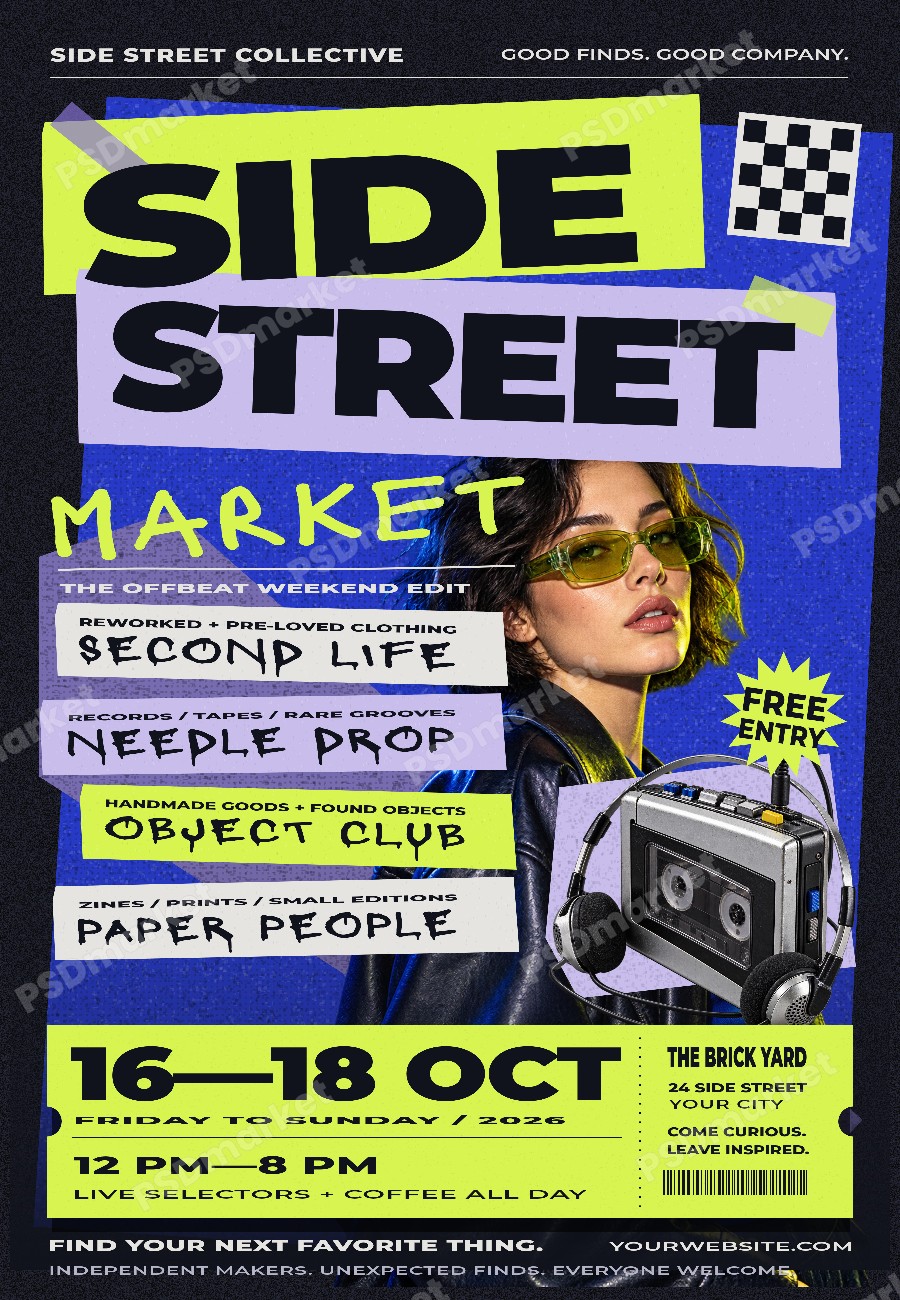
Give a vintage market a bold street-collage identity with cobalt-blue, acid-lime and lavender paper layers, rough textures and handwritten lettering. A fashion portrait, cassette player, headphones, checkerboard details and a ticket footer create a playful retro mood. The composition suits thrift pop-ups, record fairs, independent makers events, zine fairs and streetwear markets.
What is included
- Layered Photoshop PSD with organized text and artwork
- Editable text for personalizing the design
- Separately arranged embedded artwork
- Matching clean full-resolution JPEG and editing README
- 4 used font files with original license notices
Technical details
- 2700 × 3900 pixels, 300 ppi
- 9 × 13 inches, RGB, 8 bits per channel
- English sample copy
- Digital download; no physical item is shipped
Editable text and artwork
All visible text elements are native editable Type, including the main title, vendor names, descriptions, dates, times, address and URL. Embedded Smart Objects separate the transparent fashion portrait, cassette-and-headphones cutout, paper shapes, tape, textures, ticket, barcode and decoration. The portrait and cassette/headphones artwork are individually replaceable; the cassette and headphones are one combined image. Longer replacement wording may require resizing or repositioning.
The fashion portrait depicts a fictional adult. The cassette-and-headphones prop is separate artwork. Photographs, textures and decorative elements are embedded raster artwork. Double-click a Smart Object thumbnail to edit or replace its contents.
Fonts and editing
Install the included fonts before opening the PSD: Montserrat Black, Montserrat ExtraBold, Montserrat SemiBold and Lacquer Regular. Original license notices are included. Longer replacement copy may require adjustments to type size, spacing, position or existing text transforms.
Event details, venue names, artists, offers, prices and contact information are fictional sample copy. Replace or verify them before promoting a real event. Confirm trim, safe margins, bleed and color-profile requirements with your printer; no separate bleed area or trim marks are included.
Before you export
Install the supplied fonts and use a PSD editor with support for editable Photoshop text and the features listed above. After editing, check lettering, placement and effects against the included JPEG before exporting.
The storefront preview carries a PSDmarket watermark. The purchased PSD and JPEG are supplied without this preview watermark.

Reviews
There are no reviews yet.