Description
Skateboard Day Ramp Flyer PSD Template
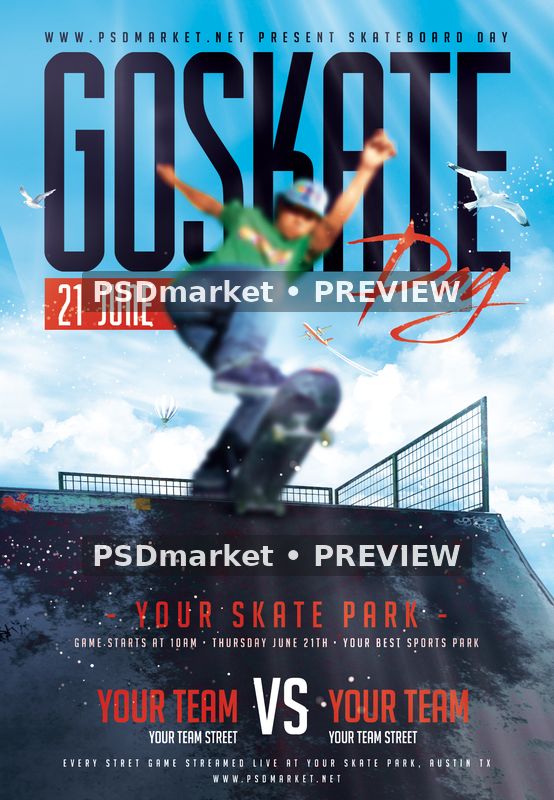
Skateboard Day Ramp Flyer PSD Template places a tall GO SKATE headline over a bright blue sky and a dark skatepark ramp. A red handwritten Day accent crosses the title area, while a narrow red date strip provides a second focal point. The central action image shows a softly focused skateboarder above the ramp. Small birds and distant aerial details complete the outdoor scene around the main subject.
This layout is suited to a skateboarding day, a park event or a team challenge that needs a strong vertical format. The dark lower section contains a venue line, supporting event information and a team-versus-team arrangement. These placeholders can be adapted for the names or groups taking part. The supplied title and action setting keep the subject clear before a viewer reads the smaller practical details.
The central skateboarder uses the intentional soft-focus treatment supplied with the template. A marked image smart object is present in the original Photoshop file, and the included readme explains how to replace the blurred image with your own. Prepare a replacement that suits the elevated position above the ramp. Check the subject placement against the headline and the background railing so the composition stays balanced after editing.
The original contains twelve live text layers, including the main title, date, venue, team labels, versus marker and supporting information. Named groups separate background details, design elements, headline text, event details, color options and master adjustments. The clear divisions help you make coordinated changes while keeping the sky, ramp and text areas visually connected. Use the lower panel for concise information and leave enough space around the team names.
Files and Photoshop specifications
The download includes the original layered PSD and a text readme inside a ZIP archive. The Photoshop canvas measures 1350 × 1950 pixels at 300 ppi, in 8-bit CMYK with the embedded Coated FOGRA27 profile. At that resolution, the full canvas is 4.5 × 6.5 inches. The older readme lists a different canvas size; use the actual document dimensions when setting up your output. Keep a separate export for each intended format so later changes to the layered design can be applied consistently across your promotional materials.
The document references AA-Higherup, BigNoodleTitling and Streetbrush in its live text. The readme includes font references, but no font files are included in the ZIP. Some references are older links, so confirm availability and current licensing before use. Check the title spacing and brush-script placement after any font replacement.
Customize your event details
Replace the sample June date, start time, park name, team names, location and website with your event information. The supplied footer includes generic game and streaming wording. Edit those lines to describe the activities and access arrangements your event actually provides.
Work on a copy of the PSD in Adobe Photoshop and keep the layered source for later revisions. Review the named groups, update the text and image areas you need, and inspect the finished composition at full size. Before exporting, check every small line as well as the headline. Sample addresses, presenter names and promotional offers can remain easy to overlook in a detailed composition. Use a final proof to confirm spelling, readable contact information and consistent dates before sending the finished artwork to your audience. For printed copies, confirm the final trim, bleed and color requirements with your print provider. For online promotion, export a separate web image in the dimensions required by your chosen platform.