
Description
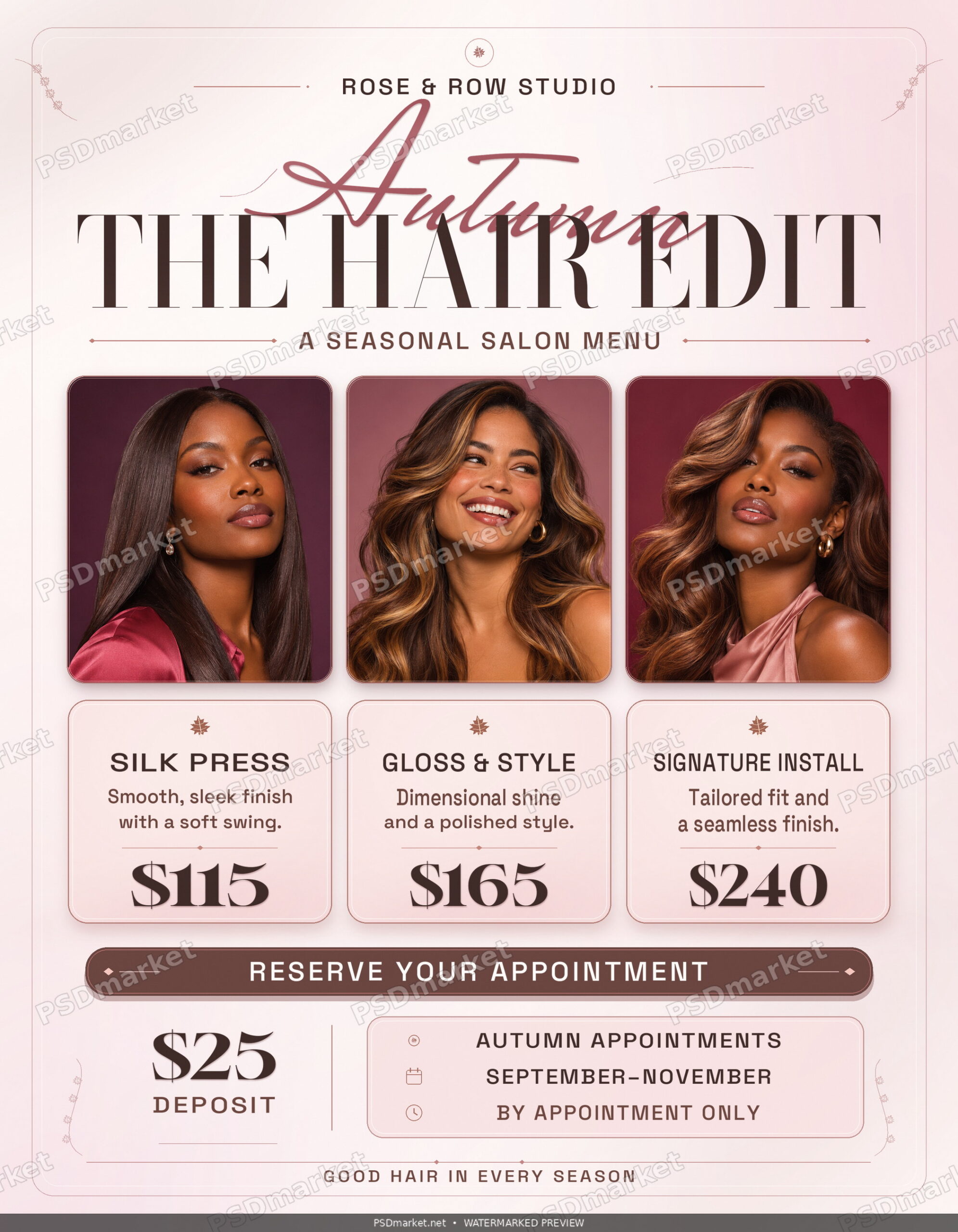
The Autumn Hair Edit is a fall hair salon booking flyer PSD for a stylist opening the books for a new season. Three beauty portraits sit above rounded blush price cards. The ivory background gives the espresso serif headline room to breathe, while the handwritten Autumn gives it the feel of a note from the salon. Rose-gold details warm up the layout without getting in the way of the service names. The design shows clients the style of work before they get to the prices and booking details.
Use it to introduce an autumn service menu, show the looks you want to book, or announce when your next month opens. It fits an independent stylist’s appointment announcement as well as a salon’s seasonal campaign. The sample Rose & Row Studio lists Silk Press, Gloss & Style, and Signature Install. Choose the services you want to feature and give clients the full menu on your booking page. The studio name, services, and September–November booking window illustrate the layout; they are not an offer from a real salon.
Plan your service lineup with this fall hair salon booking flyer PSD
Think of the three portrait and price-card pairs as a small portfolio. Give each card a short service name and choose a photograph that helps clients picture the result. If two services sound similar, use a brief note to explain the difference, such as whether styling is included. Keep appointment length, preparation, and what clients should bring on the booking page. That way the flyer stays readable, and clients can still check the details before choosing a slot.
Set expectations before someone books
Use one booking instruction and one clear place to find availability. If the price depends on length, a consultation, or an add-on, make that clear rather than treating the example amount as fixed. Put deposit or cancellation information where clients can read it before confirming. For a limited opening, state which dates clients can book and change the flyer or its caption when those slots are taken.
Share the full composition as the first image in a social post, at the start of an appointment email, or on a counter display. The headline introduces the offer at a glance; the full frame lets clients compare the cards and read the booking line. Repeat your booking link beside the artwork so it is easy to use. If you print copies, check the small labels at the final size and confirm trim and bleed with your printer before exporting.
What comes in the download
The ZIP contains a layered Photoshop PSD, 2625 × 3375 pixels at 300 ppi in sRGB, a clean full-resolution JPEG, a short editing guide, and four fonts with their licenses. The salon name, headline, service text, prices, and appointment details are editable text. The three photographs are in separate masked groups, so you can replace one portrait without changing the others. Keep the rounded crop and framing when you replace an image to retain the original layout.
Install the supplied fonts before opening the PSD. Use the clean JPEG as a reference for the supplied design, then export a fresh image from the PSD after adding your services and contact details. If your price or service labels are longer than the examples, check their fit in the blush cards before sharing.
Reviews
There are no reviews yet.