
Description
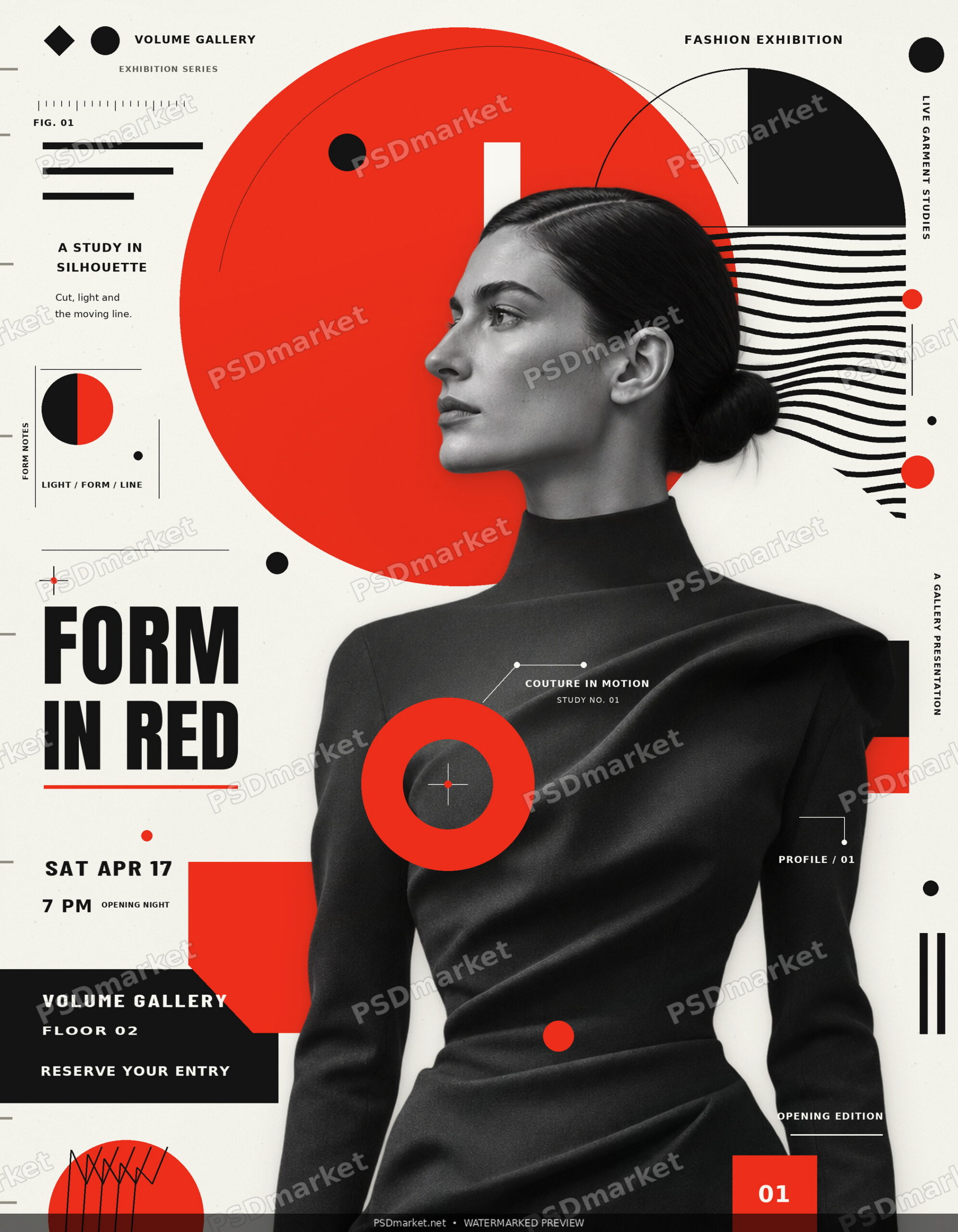
Form in Red is a fashion exhibition flyer PSD for presenting a collection as something to look at closely. A grayscale profile in a sculptural graphite garment anchors the composition. A vermilion disc sits behind the head, a red ring crosses the fabric, and tight optical stripes curl into the upper corner. The two-line title and small registration marks give the flyer the feel of an exhibition announcement, while the editorial sidebar keeps the practical details easy to find.
Use it to introduce an independent designer’s collection, announce a fashion installation, or invite guests to an opening where the clothes are presented as a study in shape and construction. The example reads A Study in Silhouette and Live Garment Studies. Those lines could become a collection theme and an opening-night program, a fit study and a studio visit, or a curator’s note and a designer talk. The high-contrast artwork already carries much of the mood, so a short event title and one clear descriptor usually work better than a long introduction.
Adapt the flyer for your exhibition
In the PSD, replace FORM / IN RED with your exhibition or collection name. Treat the two title lines as separate parts of the composition: if your name runs long, put the distinctive words in the headline and move the rest into the subtitle. Keep the sidebar for the date and start time, the venue or host, and any floor or room number that helps guests find you. Replace the sample gallery name and schedule before sharing the artwork.
The call to action tells guests what to do next. Use Reserve your entry for a booked viewing, Opening night for a launch announcement, or Free entry when that applies. If your event has timed admission, say so on the flyer and list the available sessions on the booking page. For a gallery with several rooms or floors, leave the room line in the design; it has a job beyond filling space.
From gallery entrance to digital announcement
The vertical composition works as a printed invitation, a lobby or studio-door poster, and a portrait announcement for a venue listing, email or social post. Keep the whole frame when the surrounding space and sidebar are important. Before making a narrow crop, check that the event title, date and action still read together. If the platform supplies an event description, repeat the essential details there rather than shrinking the flyer text to fit every format.
Once you have replaced the sample wording, export a new image from the edited PSD. Check the small type at the size people will actually see, especially if the flyer will appear first as a thumbnail. For a physical print run, confirm the final trim and bleed requirements with your printer before exporting.
What is in the download
The ZIP includes the layered Photoshop PSD (2625 × 3375 pixels at 300 ppi, with an embedded sRGB color profile), a clean JPEG of the supplied design, a short editing guide, and the fonts with their licenses: Anton Regular, Barlow Condensed Bold, and DejaVu Sans Regular and Bold. The opening details are samples; update the editable English type to suit your event and export your customized version from the PSD.
Reviews
There are no reviews yet.