
Description
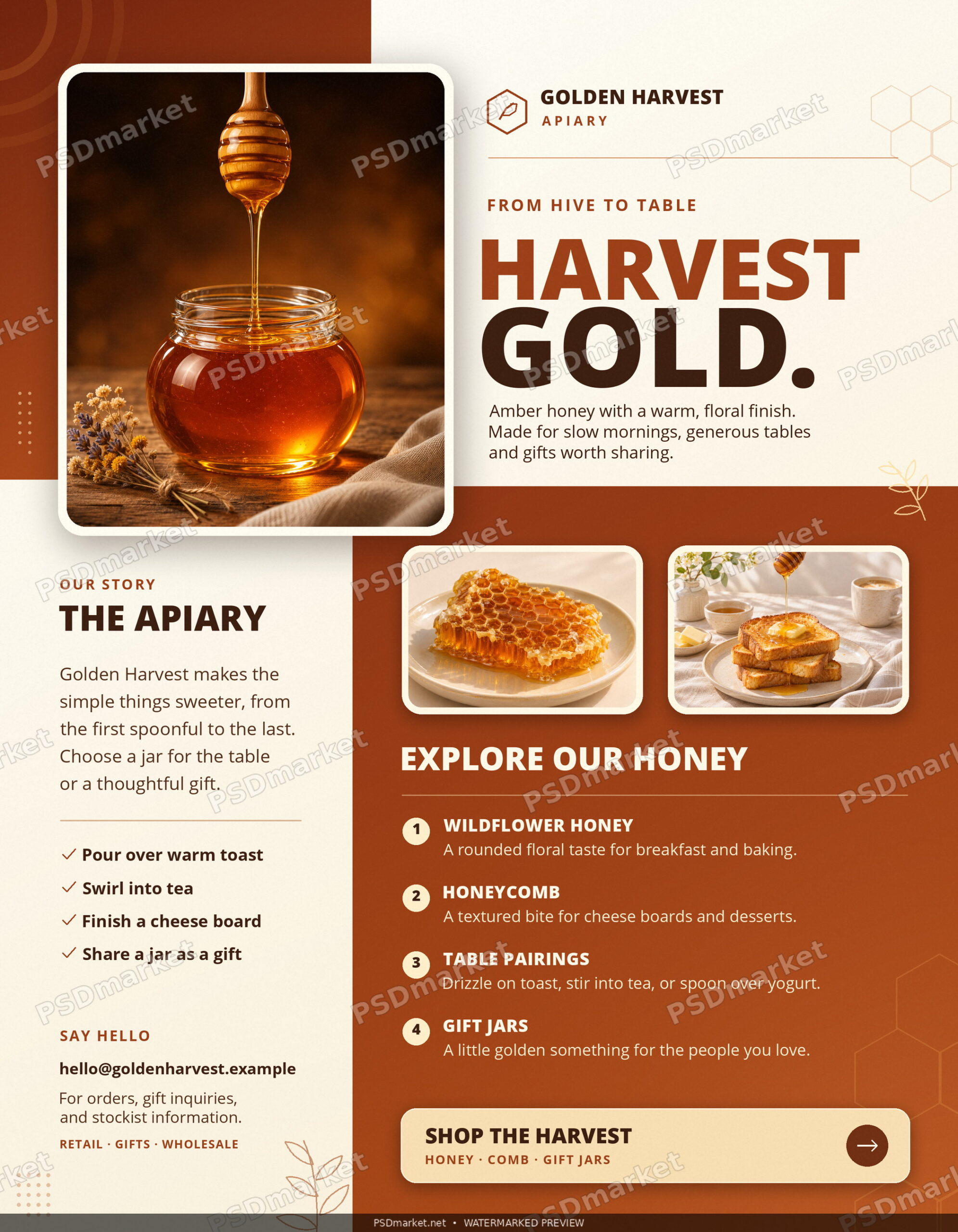
Golden Harvest is a honey product flyer PSD for putting the jar and the people behind it on the same page. A wooden dipper lets a ribbon of honey fall toward an amber jar in the main photograph. Ivory space gives the headline and introduction room to read, then burnt amber brings the smaller photos and product information together. The honeycomb and breakfast drizzle tell two parts of the story: what the product looks like up close and how customers might use it at home.
Use the layout for an apiary’s market table, a farm shop’s seasonal display, or a specialty grocer introducing a local producer. It also works as an image for an online shop announcement when a short social caption isn’t enough to explain the range. The sample Golden Harvest Apiary is a fictional business. Use your own name and a description that reflects where your honey comes from, what distinguishes the producer or where customers can meet you.
Make this honey product flyer PSD work at your market table
Give the reader a quick introduction before listing the jars. A few lines about the apiary or its surrounding landscape can be more memorable than a long list of selling points. If several producers share a stall, say whose honey is pictured so shoppers know what to ask for. Choose an action that matches the setting. A farm shop might tell visitors where to find the range, while an outdoor market might use the same space to direct shoppers to its stall or a page with the next market date.
Help shoppers compare the range
Use the product lines for information people can compare, such as the variety, jar size, price or a short tasting note. For a seasonal harvest, list only the varieties you have available and keep a collection name in the headline if it will make the flyer useful across batches. Describe floral sources, farm origin or processing only if those details are accurate for the jars you sell. The serving photo can suggest toast, porridge or yogurt without needing to make a health claim about the food.
Share the full vertical layout on a product page, between jars on a counter or in an announcement about the range. If a feed crop cuts off the product lines, repeat the names and ordering information in the caption. Before printing, check the smaller text at the intended size and ask the printer about trim and bleed. Use the final piece to answer the practical questions a customer would ask in person: what is it, which jar should I try, and where can I get it?
What’s included
The ZIP contains a layered Photoshop PSD at 2625 × 3375 pixels and 300 ppi in sRGB, a clean full-resolution JPEG of the sample design, three Open Sans font files with license notices, and a short setup guide. Open the PSD with the included fonts installed, then edit the headline, product details and contact line for your business. The photographs sit in individual framed areas, so you can keep them or swap in your own when you want customers to recognize your products.
Give your next honey promotion the warmth of a real tasting table with Golden Harvest.
Reviews
There are no reviews yet.